Approving a Loan
Loan License Overview ⇨
Loan License Administrators
⇨ Approving a Loan
A user will automatically be granted access to Audio Notetaker for 14 days after they install and activate
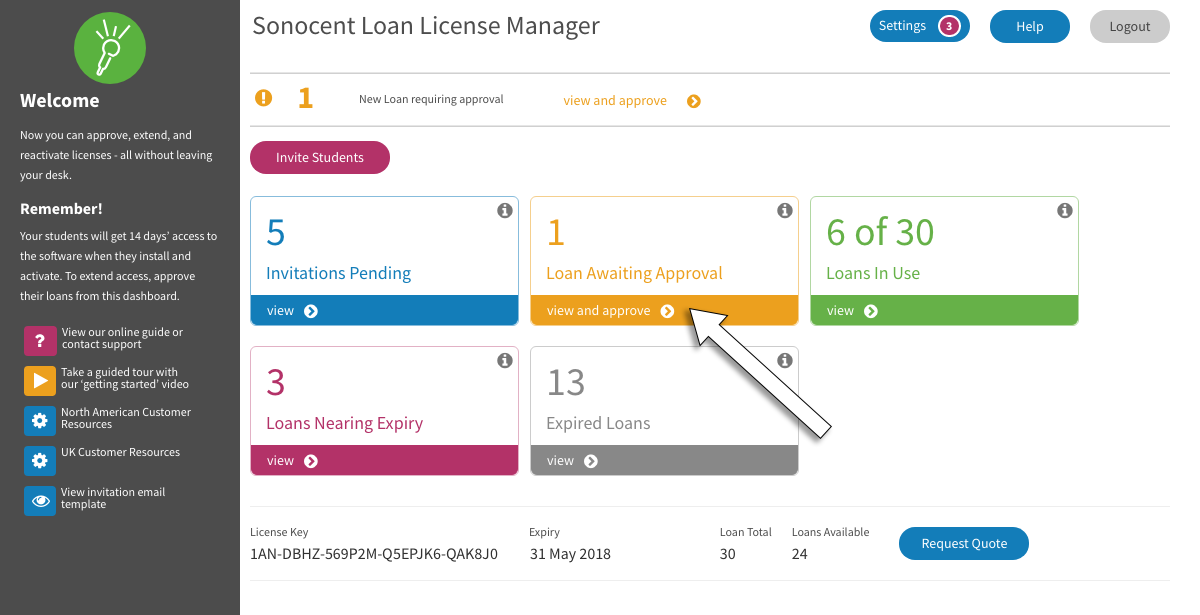
To approve and extend their access to the software as well as enabling to access the Sonocent Link app, select ‘view and approve’ from the dashboard.
A user will automatically be granted access to Audio Notetaker for 14 days after they install and activate
To approve and extend their access to the software as well as enabling to access the Sonocent Link app, select ‘view and approve’ from the dashboard.
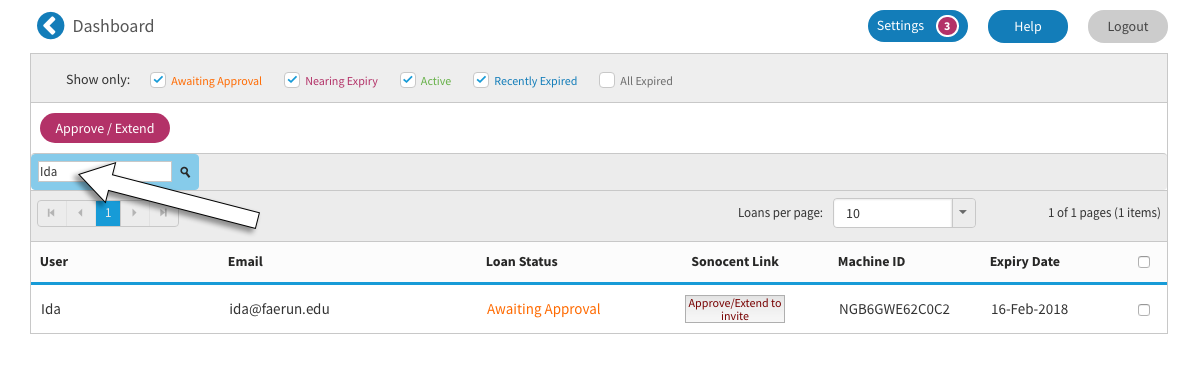
- The user’s name and details now appear within the loan licence control panel. You can search for individual users by name with the search tool.
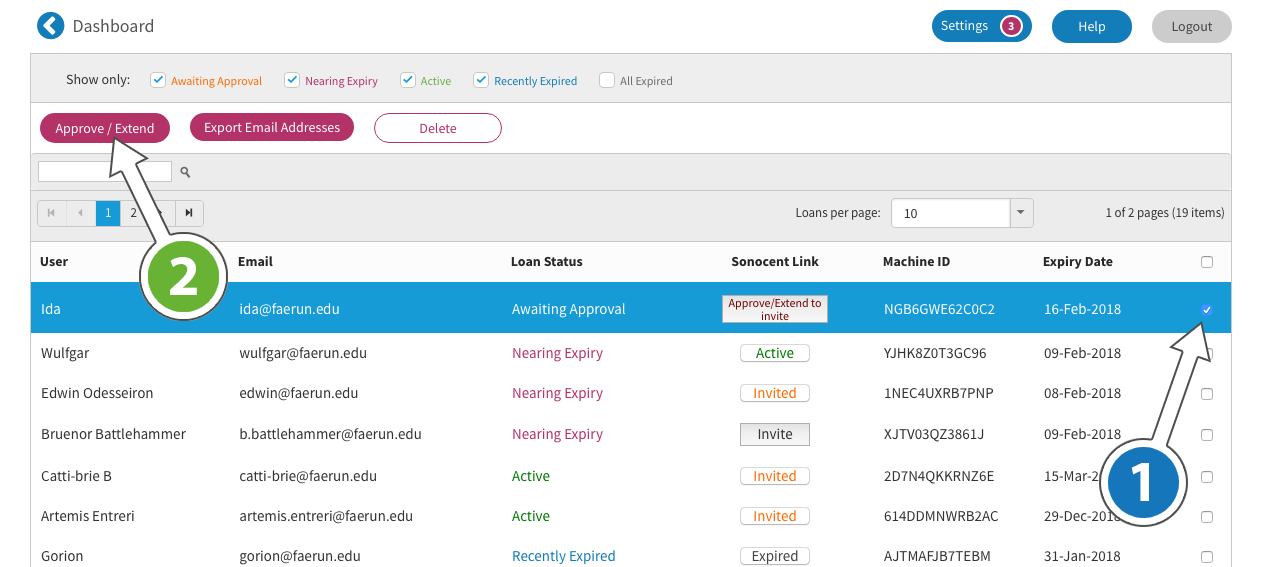
- To extend the user’s access, click the tick box (1) and the 'Approve / Extend' (2).
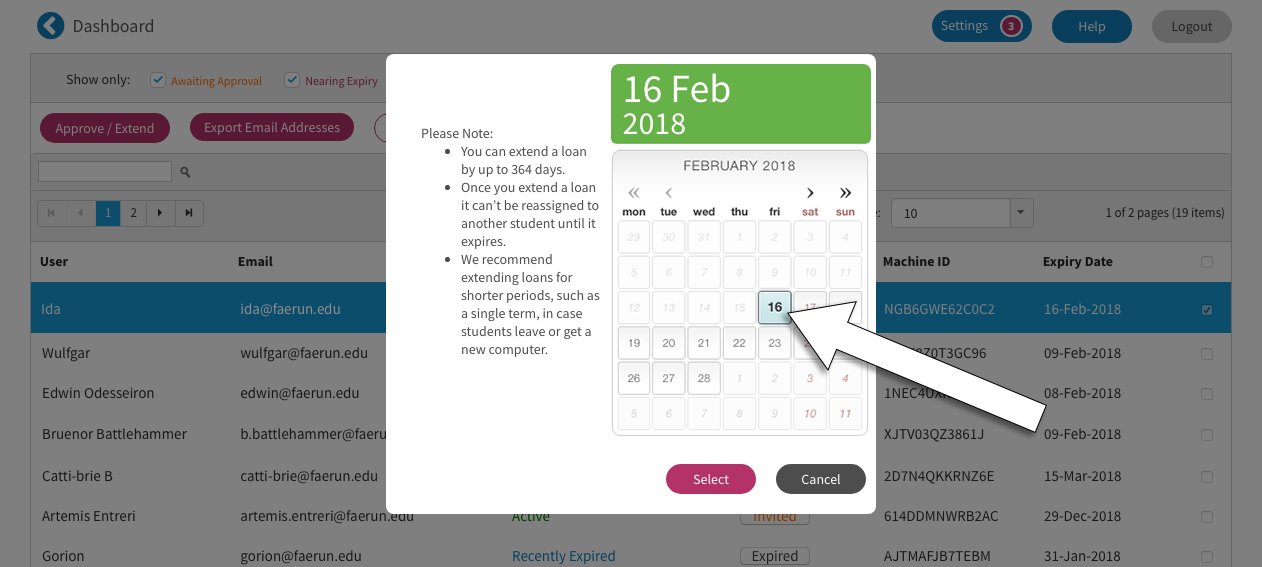
- Using the calendar, you can extend a user’s access we recommend setting shorter periods, because you cannot reduce the period of access once it has been extended.
- Once you have approved and extended a user’s access they will need to reactivate Audio Notetaker on their computer. The user will be sent an automated email informing them of the extension as well as inviting them to use Sonocent Link.
- Audio Notetaker will automatically prompt them to check whether their loan has been approved.