Extending Loans Nearing Expiry
Loan License Overview ⇨
Loan License Administrators
⇨ Extending Loans Nearing Expiry
When a user has fewer than 30 days’ remaining on their loan, you can extend access by viewing Loans Nearing Expiry.
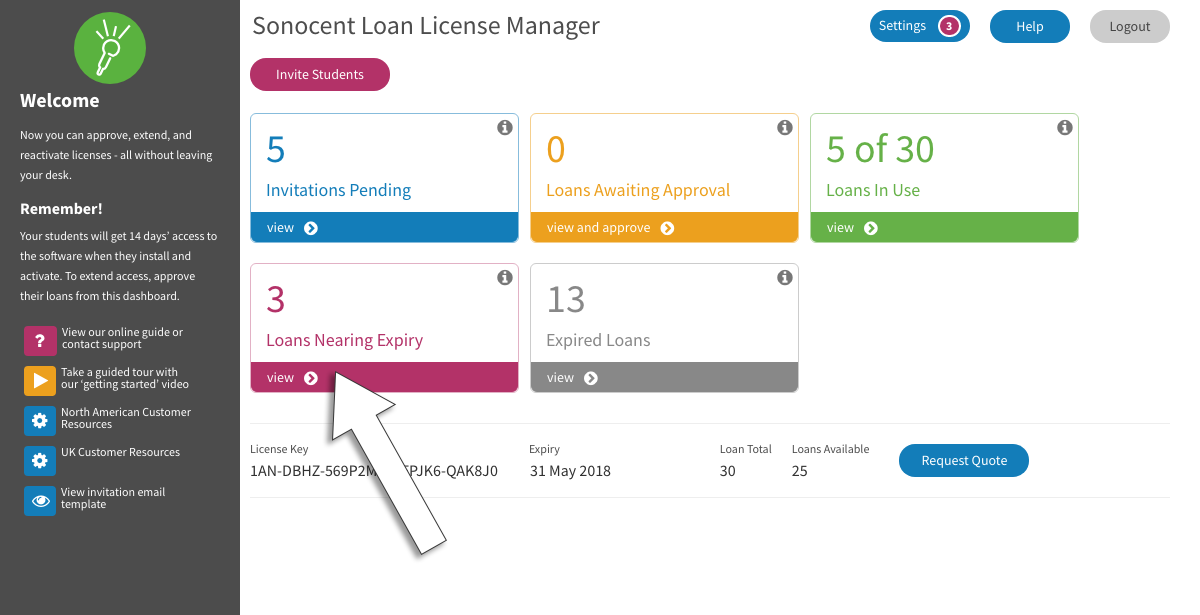
When a user has fewer than 30 days’ remaining on their loan, you can extend access by viewing Loans Nearing Expiry.
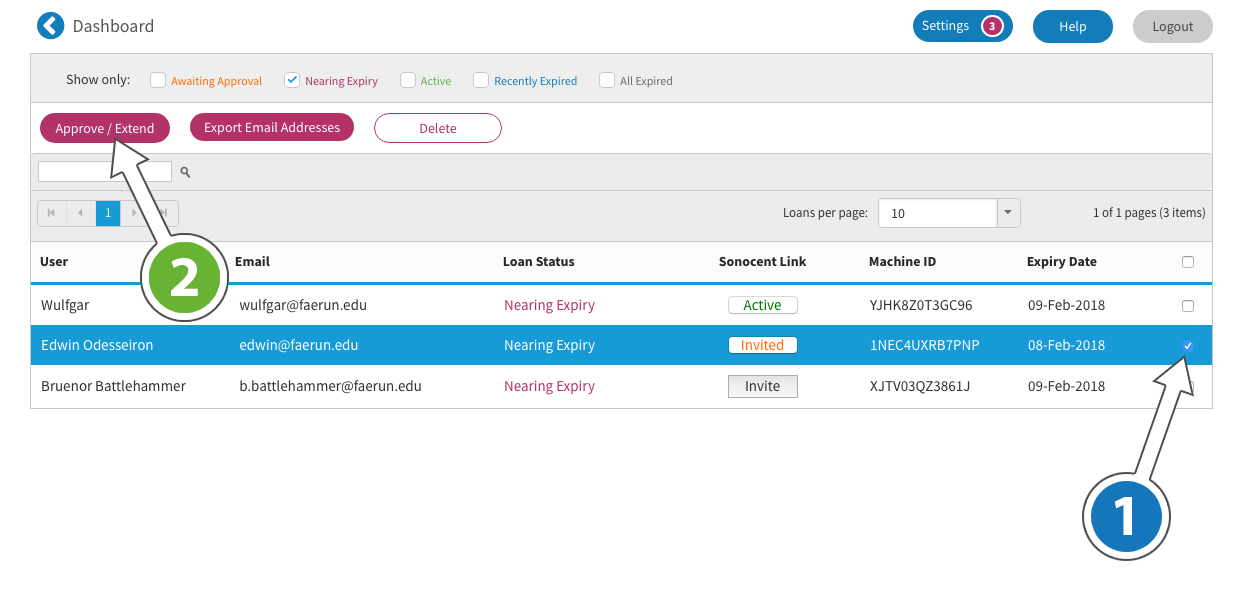
- Select the user(s) using the tick boxes on the right (1)
- Click Approve/Extend and choose the new expiry date (2)