Switching from a Trial to a Loan Licence
Loan License Overview ⇨
Student Overview ⇨
Installing Audio Notetaker and Activating a Loan ⇨ Switching from a Trial to a Loan License
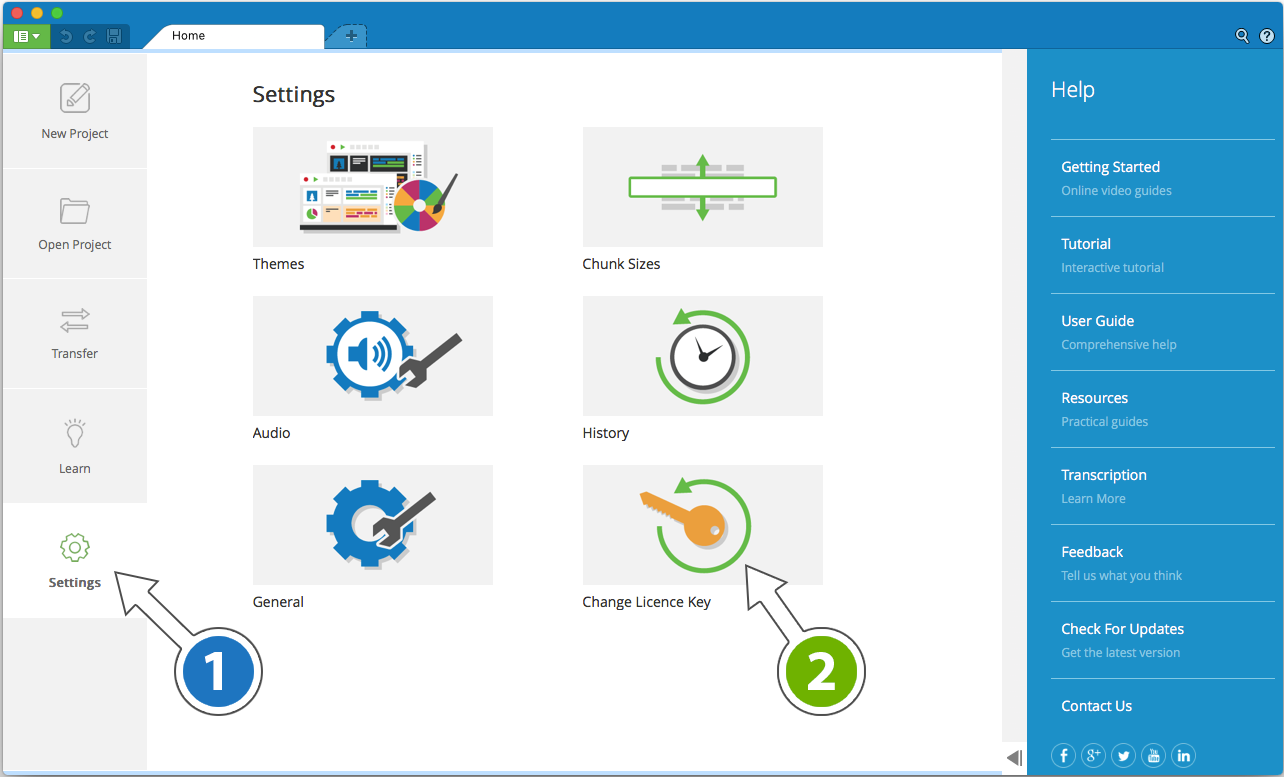
If the user already has an active free trial of Audio Notetaker then they can simply upgrade to use your Loan License.
If the trial has expired then they need to start Audio Notetaker and when prompted select ‘Enter License Key’.
If the trial is active:
- Open Audio Notetaker and from the Home Tab go to Settings (1) -> ‘Change License Key’ (2).
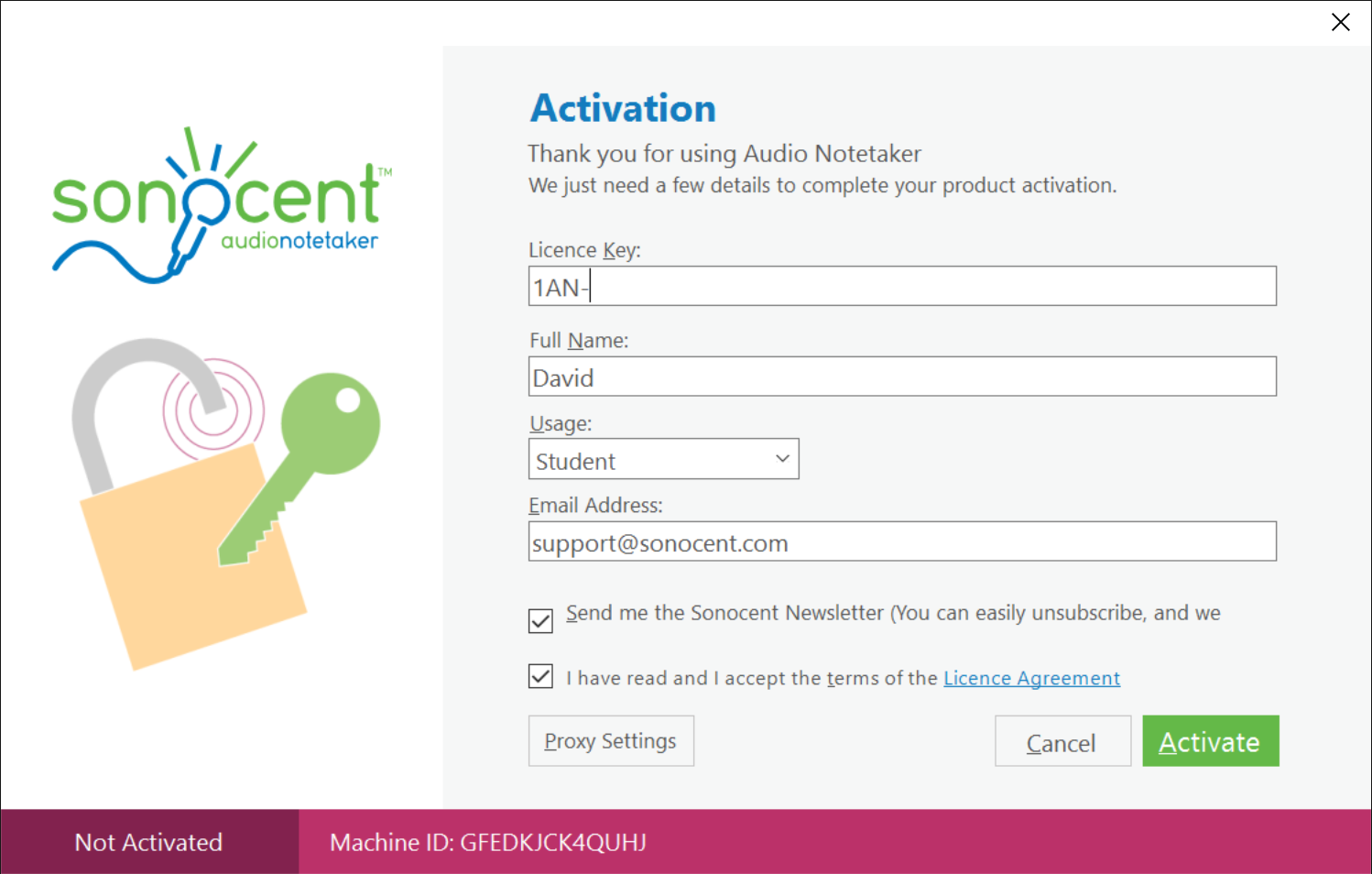
- Ask the user to enter the Loan License Key and to read and accept the License Agreement.
- The user should complete the user details with their own name and email - this is how the user will be identified in your Loan License Manager.
- The user will automatically be granted access to the software for 14 days - you can then extend the date of expiry from the Loan License Manager.